By RFID MFG Editorial Team · Updated August 12, 2026 · 2 min read
Reader types
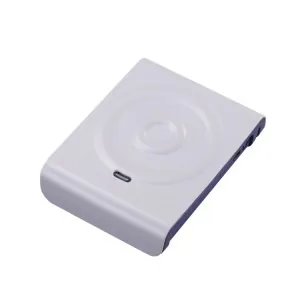
Desktop/USB readers encode and personalize cards at a workstation. Fixed readers with external antennas cover doorways, conveyors and shelves for hands-free reads. Handheld (often Android) readers suit mobile inventory and field work.
Frequency and range
Match the reader to the tag: LF and HF readers for short-range cards and tickets; UHF readers for metres of range and bulk reads. Antenna count and placement largely determine real-world coverage.
Interfaces and integration
Readers connect over USB, RS232/RS485, Wi-Fi, Ethernet/PoE or Bluetooth. For software integration, look for a documented SDK and demo apps so the reader feeds your WMS/ERP or access system cleanly.
Modules and terminals
Beyond standalone readers, embeddable modules, barcode scan engines and IoT DTU/RTU terminals let you build RFID into kiosks, gates, vending and remote monitoring.
Antennas and read zones
With UHF, the antenna often matters more than the reader. Circularly polarised antennas read tags at any orientation and suit mixed inventory; linear antennas reach farther in one plane and suit conveyors where tags line up. Higher gain (measured in dBi) extends range but narrows the beam, so a doorway, a shelf and a tunnel each call for a different antenna and aiming. Keep cable runs short — every metre of coax loses signal — and tune reader power to cover the read zone without spilling into the next one.
Planning a deployment
A reliable system starts with a pilot. Map where tags must be read and where they must not, choose readers and antennas for those zones, then test with your actual tagged items — read rates change with product, packaging and metal nearby. Confirm power, network and mounting, and how tag data will flow into your WMS, ERP or access software through the SDK. We help specify the reader, antennas and tags together so the pieces work as one system.
Reader selector
| Task | Reader type |
|---|---|
| Encode / personalize cards | Desktop USB reader |
| Doorway / conveyor reads | Fixed UHF reader + antennas |
| Mobile inventory | Handheld UHF reader |
| Embed into a device | OEM module / scan engine |
Related reading
Frequently asked questions
Do your readers come with an SDK?
Yes — readers ship with an SDK and demo software so you can integrate with your own application and back-end systems.
Which reader do I need to encode cards?
A desktop USB HF/UHF reader/writer is used to encode and personalize cards at a workstation.
Can one reader handle LF, HF and UHF?
Most readers target one band. For multiple frequencies you typically use separate readers or a multi-frequency model where available.
What read range can a UHF reader achieve?
A fixed UHF reader with a good antenna typically reads passive tags from about 3 to 10+ metres; handhelds read a few metres. Actual range depends on the tag, antenna gain, reader power and the environment.